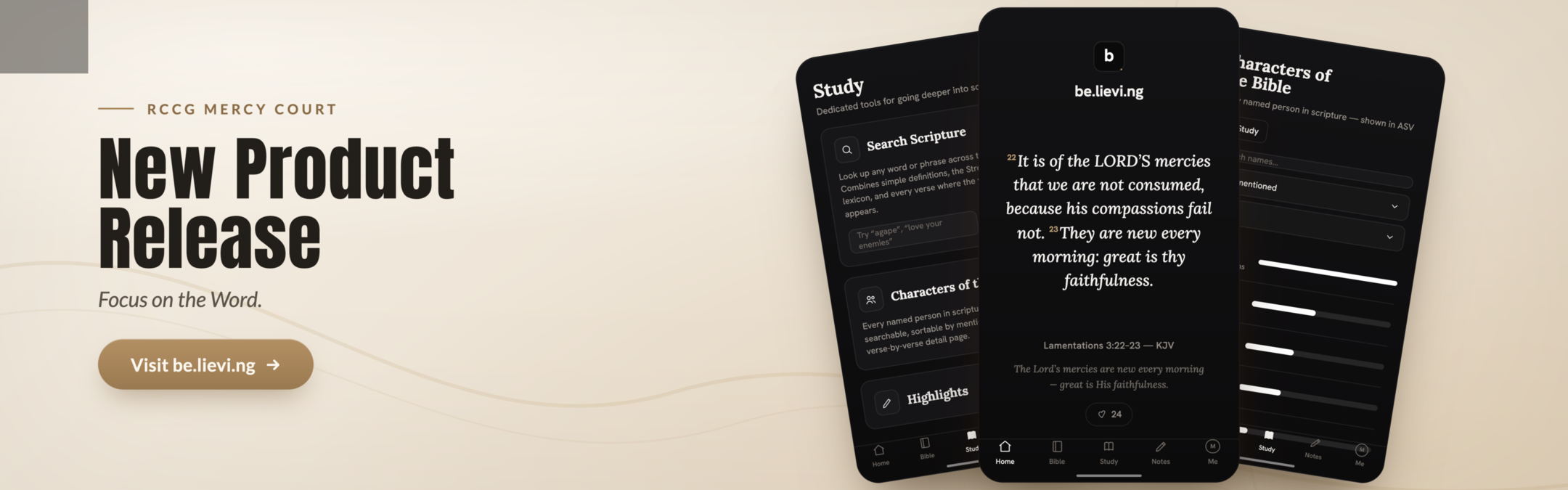
At Mercy Court, we believe that engaging with the Word of God should be more than a ritual. It should be an experience of discovery. That conviction is what led to the creation of be.lievi.ng — Mercy Court's first technology product and a free Bible study app built not just for the Mercy Court family, but for the world.
Introduced to the Mercy Court congregation by Dr. Sunday Ikpe and Bro. Femi Akinmade, be.lievi.ng represents a bold step at the intersection of faith and technology — one the team believes is long overdue.
"We are at a time when the world is rapidly changing, and we have decided to take advantage of the moment."
— Dr. Sunday Ikpe
Study First. Always.
There is no shortage of Bible apps. What has been missing is one built specifically to help you go deeper — an app that makes studying the Word as intuitive and rewarding as reading it. be.lievi.ng fills that gap.
"We have a lot of Bible applications out there, but this is study first. The focus is on the Word, on study."
— Dr. Sunday Ikpe
You do not even need to sign up to begin reading. But once you register — completely free — a full suite of study features opens up. And the vision from the beginning has been broader than any single congregation.
"This is not just for me. This is Mercy to the world."
— Dr. Sunday Ikpe
Meet Scribe: Your Personal Bible Study Assistant
At the heart of be.lievi.ng is Scribe, an AI-powered Bible study assistant that works alongside you as you study, prepare sermon notes, or dig into the meaning of a passage. Ask Scribe about the Greek or Hebrew meaning of a word, explore the Strong's Concordance, or request context behind a verse — all without leaving the app.
"You don't have to navigate to Google while you're preparing your study notes or sermon notes. What does the Greek word say? What does it mean? Everything can be done with the assistant at once."
— Bro. Femi Akinmade
Scribe is also built with families in mind. If you ask it anything outside the Bible, it will redirect you. "This is a safe assistant to use," Bro. Akinmade assured the congregation.
For those whose notes need a little polish, Scribe can help with that too. Ask it to rewrite a note and it will correct spelling, punctuation, and redundancies without altering the meaning — and the original always stays untouched. For teachers and preachers, this transforms rough, in-the-moment notes into something ready to share.
Powerful Tools for Deeper Study
be.lievi.ng is built around the conviction that the tools you use shape the depth of your engagement with Scripture. Every feature has been designed with that in mind.
Bible Versions
The app currently offers the King James Version, Bible in Basic English (BBE), and the American Standard Version (ASV). More versions are actively being pursued, with Mercy Court working directly with rights holders to expand the library.
Character Search
A searchable index of every person mentioned in the Bible, linked directly to the verses where they appear. Click a verse and you are taken straight to it.
Colour-Coded Highlights
Highlighting in be.lievi.ng goes beyond cosmetic. You decide what each colour represents — faith, love, hope, whatever it is. Every highlighted verse is saved and searchable, building a personal, organised reference system over time.
Smart Notes with Cross-Reference
Type your study notes using standard Bible notation — for example, John 3:16 — and the app automatically converts it into a clickable cross-reference. Notes save automatically and can be shared with the community so others can study alongside you.
One-Tap Scripture Sharing
Long-press any verse to generate a beautifully formatted, ready-to-share image of that scripture, complete with the verse reference. Post it directly to social media without switching apps or reformatting anything.
"The Experience Is Like None Other"
For Bro. Femi Akinmade, the invitation to the congregation was personal and direct: "We want you to register on the Bible app. Be an ambassador of the app. Form your communities within the app. Take your notes within the app. And share the app with the world."
"I can guarantee you, the experience is something there's none like it, really. The features are so easy, so intuitive to use. And when you try it, you would not be able to leave it alone."
— Bro. Femi Akinmade
How to Get the App
be.lievi.ng is a progressive web app — it works on any device and installs like a native app with no app store required.
iPhone
Open be.lievi.ng in Safari, tap the share icon at the bottom, scroll and select Add to Home Screen.
Android
Open the app and tap Install when prompted, or tap the three dots in the top-right corner and select Add to Home Screen.
Desktop
Click the install icon in the top-right corner of your browser to install be.lievi.ng directly to your computer.
Once installed, check "Keep me logged in" and you will never need to sign in again. Just open and study. You can also reach the app at the easier-to-remember address: thewordapp.org
A Product from the Home of the Pace Setters, to the World
be.lievi.ng is free. It is open to everyone. New features will be arriving virtually every other week, so there is always more to look forward to. Mercy Court is asking its community to be the first adopters and the first evangelists — register, form study communities within the app, take your notes, and share it with someone who needs it.
This is more than a tech launch. It is Mercy to the world.
Get Started Today
Free to use. Free to share. Available on any device.

.jpg)